In this article, I wanted to share how I created this bar plot. It is a simple bar plot. However, it needed a few modifications from ggplot’s defaults.
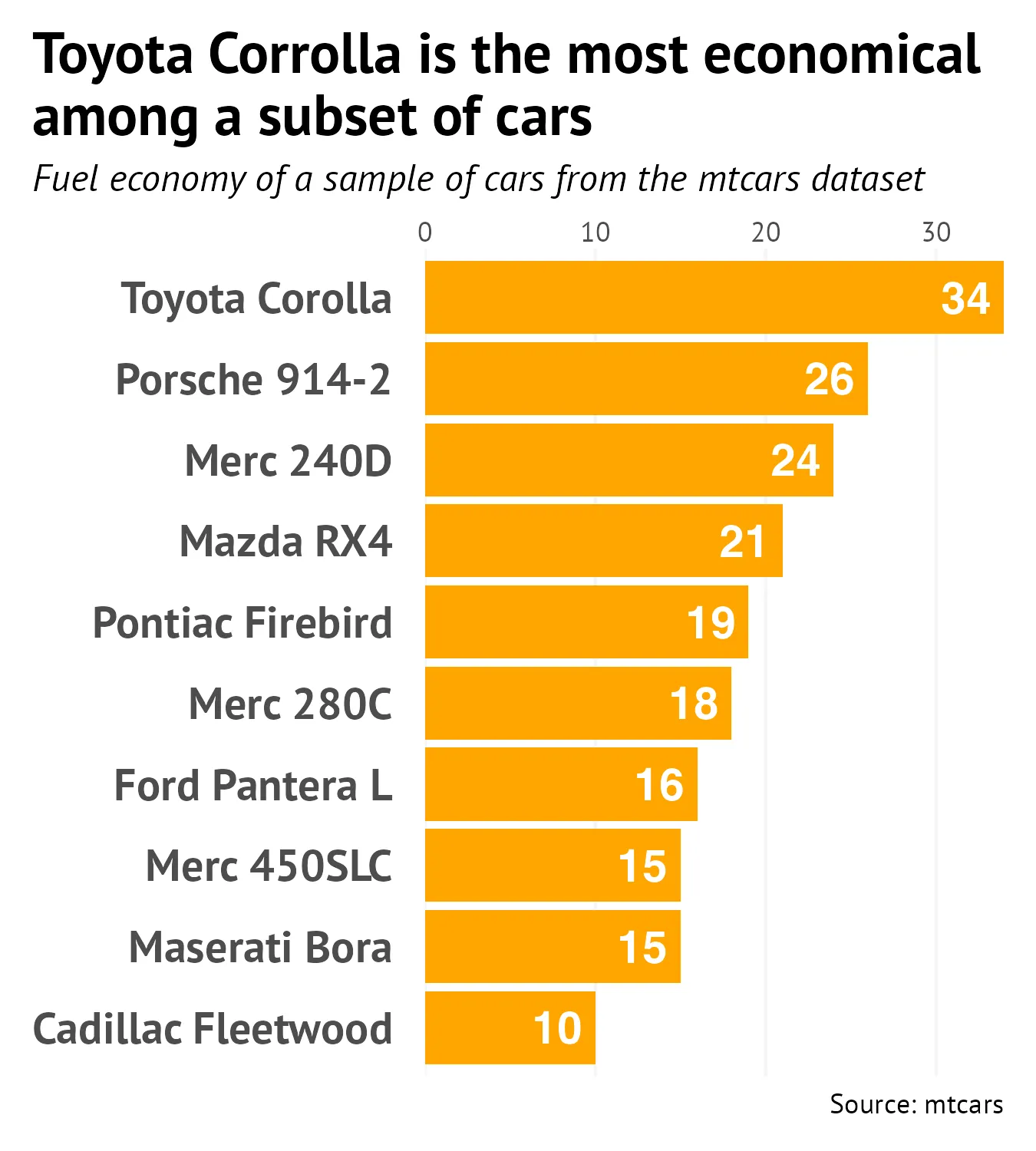
Here were some helpful functions.
Remove the gap between the plot and the y axis label
scale_x_continuous(position = 'top', expand = expansion(0, 0))Left align the plot title and subtitle all the way to the left
theme(plot.title.position = "plot")Change all the fonts in one line
theme(text = element_text(family = "PT Sans"))Wrap the width of text
labs(title = str_wrap(..., width))All the code
library(tidyverse)
set.seed(16)

mtcars <- mtcars |>
  rownames_to_column("model") |>
  slice_sample(n = 10) |>
  mutate(mpg = round(mpg, 0))

plot <- ggplot(mtcars, aes(x = mpg, y = fct_reorder(model, mpg), label = mpg)) +
  geom_bar(stat = 'identity', fill = "orange") +
  geom_text(hjust = 1.25, colour = 'white', fontface = 'bold', size = 5) +
  labs(y = NULL,
       x = NULL,
       title = str_wrap("Toyota Corrolla is the most economical among a subset of cars", width = 40),
       subtitle = "Fuel economy of a sample of cars from the mtcars dataset",
       caption = "Source: mtcars") +
  scale_x_continuous(position = 'top', expand = expansion(0, 0)) +
  theme(plot.title.position = "plot",
        plot.title = element_text(size = 18, face = "bold"),
        plot.subtitle = element_text(size = 12, face = 'italic'),
        plot.margin = margin(t = 10, b = 10, l = 10, r = 10),
        panel.grid.major.y = element_blank(),
        panel.background = element_blank(),
        panel.grid.major.x = element_line(colour = 'whitesmoke'),
        axis.ticks = element_blank(),
        axis.text.y = element_text(margin = margin(r = 10), size = 14, face = 'bold'),
        text = element_text(family = "PT Sans"))

ggsave("plot.png", width = 4.5, height = 5)